Showing posts with label iPhones. Show all posts

11 IPhone Facts You Should Know

11 IPhone Facts You Should Know Today: Apple is one of the top smartphone producers in the world with track record of premium devices, design and features. The latest on their list is the amazing iPhone X with notch display.

But how much do you know iPhone and the company behind it - Apple Inc? This post reveals some of the unknown facts of iPhone devices and how they started. Maybe you are aware of some of these facts but I am sure there are people that this will come as a surprise to.
11 iphone facts

Even me, the first day I read about some of this facts, I was marveled and since then, I have been combing to get more information about Apple and other smartphone makers. Read below articles for the facts.

11 IPHONE FACTS YOU SHOULD KNOW

1. There Was Another iPhone Before The Apple iPhone
Before Apple launched iPhone, there was another company that had the name 'iPhone'. The company was actually known as the Cisco Systems.
In fact, they litigated Apple for naming its cell phone, ‘iPhone’. The first iPhone by Cisco was a VoIP phone, which allowed users to make Skype calls without using a computer. Ultimately, both the companies reached an agreement, and have kept their rights to the name.

2. The iPhone was conceptualized in the late 1980s
Back in 1983, the developer of Apple computer, Hartmut Esslinger, idealized a landline phone that had features somewhat similar to today’s iPhone and iPad with a stylus-controlled interface. Though, the design was never developed into a real Phone, it is surprising that Apple had the idea behind the iPhone many years before it was launched. Just imagine how the iPhone landscape and custom iPhone app development would look if that old prototype in 1983 had been released.

3. U2’s Bono Is In Every iPhone
If you look closely to your iPhone, you’ll find that the artist’s icon in your Music app is originally a silhouette of Bono Vertigo – the U2 singer.

4. The App Store was the first place to download an iOS app legally
One of the most interesting facts about the Apple iPhone is that the App Store is the only place to download free or paid iOS apps legally.

5. Samsung Manufactures iPhone Processors
Now this might surprise you greatly. While it is true that Samsung and Apple are arch rivals in the smartphone field, they both are partnered with each other. Samsung has a contract with Apple to make computer chips for the iPhone.

6. 700M iPhones sold by far
In March 2017, Apple CEO Tim Cook revealed that Apple has sold nearly 700 million iPhones since the first iPhone. Reports on Apple’s earnings suggest that growing iPhone sales may soon touch 800 million.

7. iPhone was the Invention of the Year
Seeing the popularity of Apple iPhone, Time Magazine named it as the “Invention of the Year” in 2007. It was indeed a revolutionary development.

8. The iPhone was codenamed Purple
In the early days when the iPhone was being engineered, the nickname for the new cell phone was, “Purple”. Even the iPhone section at the Apple headquarters was called “Purple Dorm” by the developers.

9. 2 Million iPhone apps
According to the reports, there are over 2 million iOS apps available in the Apple app store (as of June 2016). With this, the Apple app store is the second largest app store after Android, which has over 2.2 million apps.

10. iPhone 4 names Antenna-gate
The new metal design of iPhone 4 caused extensive problems among the users when it was found that calls were getting disconnected on holding the phone a certain way. Because of its severity, it earned the name, Antenna-gate.

11. Steve Jobs pranked with Starbucks
It was in 2007 when Apple was introduced for the first time by CEO Steve Jobs. He made a prank call to Starbucks and ordered over 4,000 lattes and cancelled it immediately. This was certainly a good thing for the barista who took that call.

Additionally, an iPhone manager will help you transfer all photos, music, contacts, and videos to PC in one click
These are some of the iPhone facts which I think you should know. Meanwhile, there are other mobile phone facts you can also check to see amazing stuffs. Click here for other phone facts.
Ref.

Maintenance Tips For Your Favorite iOS Device

Over the years, Apple has managed to establish itself as one of the leading tech companies in the world. There is no doubt that most people will prefer an iOS device over an Android alternative. Nevertheless, it is important to realize that all devices can experience problems in the near future. Since these devices are pretty expensive, you’ll want to do everything in your power to keep them in tiptop shape. Within this comprehensive guide, you will find maintenance tips for keeping your iOS device in immaculate condition.


Delete Apps
There is a good chance that you’ve downloaded useless apps at some point or another. A lot of people do and fail to delete those apps at some point in the future. This is a bad idea. You should not let those useless apps hog your resources. From time to time, you should scan through your phone and determine which apps you use and which ones you do not use. Uninstall and delete those apps immediately. This will make your iOS device function a little more smoothly.

Back Up
While you’re at it, you should understand how many precious files you have on the iOS device. You have games, videos, pictures, and so much more. These things can take up a lot of space. Backing up your iOS device is pertinent for numerous reasons. First and foremost, backing up your files will ensure that they’re accessible in case anything goes wrong in the future. At the same time, backing up is a good way to protect yourself from a software crash. Be sure to keep your iOS device backed up!

Use A Cleaning Software
There are many apps and software that are designed to clean up iOS devices. It is incredibly wise to use one of these programs from time to time. They’re capable of speeding up your device, getting rid of unnecessary files, and clearing up space. Really, these programs are incredibly easy to use and they work exceptionally well. With this in mind, you should use one of these programs at least once or twice a month. Check out a CCleaner review and you’ll see that these apps can be immensely beneficial.

Use Additional Folders
You’ll want to make sure that your apps are easily accessible. If your screen is overloaded with apps, you’ll have a difficult time accessing the apps that you want. With this in mind, you should consider placing some apps into a separate folder. This will keep things organized. Just make sure that apps that you use less frequently are stored in the folder.

SEE ALSO: 4 Reasons Why Android is Better Than iPhone

Updating Your Applications
Did you know that most people with iOS devices download tons of applications, but they never update them? Maybe you are completely guilty of this same practice. Updating your application is usually pretty important because these updates fix bugs, add new features, and improve compatibility with the latest software. In addition to this, the process is so easy that just about anyone can do it. All you have to do is simply open the app store and click on the “updates” tab.

7 Profitable Things to Do With iPhone 8 Money

I came across this very wonderful article on Nairaland written by someone with a username Ginx. I felt this piece of work will be useful to many people so that's why am sharing it here and giving credit back to the Author. Below is the post.
Investment and luxury
Make Better Decisions
Some people will say this post is for broke people but this post top 7 things to do instead of buying the Iphone 8 or Iphone 8 Plus is far from that. It’s actually for reasonable open-minded Nigerians. Now I am not bad-mouthing apple, neither am i advertising any other phone brand.

I am only trying to enlighten someone out there how much money they would be throwing out if they intend on purchasing the Iphone 8 and what more useful things they would have done with the money instead. Is the Iphone really a need or a want for you as an individual. Is it a necessity or a luxury. Do you see it as an asset or a liability. In no time don’t forget apple would be releasing better and newer phones that would make you Iphone 8 look old school and outdated.
Iphone 8
iPhone 8
I can remember when one girl like that was telling me not long ago that Iphone 6 was her dream phone. What a pity we are now in 2017 who would say Iphone 6 is his or her dream phone. This phones have a very short period to shine and stay in the market. Sooner than later competition would force these phone manufacturers to release more sophisticated and better phones even when their current flagship phone has not finished selling. If you are going to buy the Iphone 8 make sure you have concrete sources of income that can sustain you.

READ: 11 Phone Applications That Can Fetch You Money For Using Them

Don’t be like those foolish men who buy cars they can’t fuel or those students who buy big phones and at the end of the day they are left with no money to feed and they cant call their parents for money because they have used both their feeding money and even the funds they extracted through lies to get a phone that would soon be devalued in no time. I pity for those girls who go around sleeping with men putting their life’s at risk and the end of the day use the money to buy a phone like this then they go all around the same circle again. If you have enough money to afford the phone fine. But if the phone will drag your finances to a halt don’t invest such money in a phone.
Decision making
Here are top 7 things to do instead of buying the Iphone 8 or Iphone 8 Plus

1. Look for a fast developing area and buy a land
You never know how much this land might be worth in few years to come. 90% of the time landed properties keep increasing in value. Invest your money somewhere it can pay you big in future.

2. Find expert advise and buy shares in a bank
This is not the MMM get money quick lose money faster scheme. Buying proven shares are almost a certain way of increasing you income. Find expert advice from bankers on which shares to buy.

3. Buy a very good laptop, A good Camera, and a smaller budget phone

Instead of spending on luxury goods and wants. You can spend your money smartly and wisely. Buy a good laptop, a good camera and an efficient budget phone like tecno, infinix, gionee and the likes. You would fight out that you have used the same amount of money probably less to buy more goods, services and satisfaction. Depending on your taste you might still have some money in the bank.

4. Start a Blog
Start your blog professionally with standard hosting, Domain name, Premium theme, hire content writers, set aside some money for advertisement and keep the change

That money would effectively start a professional blog for you. And you know how much blogs make nowadays. No Iphone can bring in the amount of money that a blog would bring you. Have you ever checked how much lindaikeji is worth or Uche Pedro or any of the top bloggers in Nigeria and around the world.

5. Start your own Ecommerce site like Jumia and Konga
Most of those big ecommerce sites you see don’t own the goods they sell. They just have an agreement with the owners of these goods. And they get their cut whenever they make a sale. With such money on your hands you can start your own e-commerce site and only God knows how much you will be earning tomorrow.

6. Learn a skill, art or trade and sell your services afterward.
Do you intend on being the next Clarence peters. Be it video-editing, cinematography, photography, web-design, networking e.t,c. You can learn it big and full-time with such money in your hands. You can empower yourself greatly or you can buy a piece of technology.
What to do with iPhone 8 money
What Shoud I Do With This Money Instead of Buying iPhone 8? 
7. Farming
Don’t even think of laughing. You should know by now that farming is not a poor man’s business. If you have access to fertile land you can plant cash crops and reap a bountiful harvest with little or no work. You can engage in modernized and mechanical farming with such funds start small and grow big. Or you could go into poultry farming, fish farming whichever suits you.

READ: 6 Legit Online Business You Can Start Today and Escape From Being Broke

For further reading you can see this article on informationhood.com about businesses to start with as little as 20,000 to 50,000 with about 350,000 naira you most definitely can start those businesses effectively. Thanks to the author once again for this great

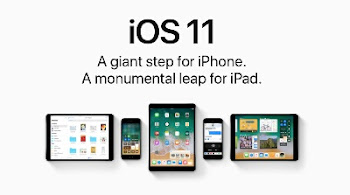
Fix iPhone and iPad Bugs With iOS 11.0.3 Update Now

Apple has just released the iOS 11.0.3 update for iPhone and iPad to fix two major bugs. The size of the update is about 285MB and this is arriving shortly after the iOS 11.0.2 update that came out just last week.

Those of you experiencing some bugs on your iPhone and iPad, this new iOS 11.0.3 update fixes them. The first is an issue with audio and haptic feedback on the iPhone 7 and iPhone 7 Plus, which would not work in some cases. The other is a touch screen iresponsiveness issue on the iPhone 6s units serviced with non-genuine parts.

However, Apple is warning against the use of non-genuine replacement displays, which could have compromised visual quality.

HOW TO GET THE UPDATE?
The update can now be downloaded over the air or via iTunes.

READ:
✔ How To Fix Some iOS 11 Problems
✔️ How To Update Your iPhone to iOS 11

You should be expecting it to hit your device any moment from now.

Buy iPhone 8 and iPhone 8 Plus on Jumia Now at This Price

The two new Apple devices - iPhone 8 and iPhone 8 Plus are now available on Jumia for purchase. You can buy them directly from here if you are ready. Note that these Apple products are expensive and the price on Jumia is pretty high. Here, we have provided the full details and other information you might need in the course of buying the Apple phones.

However Here Are The Specifications And Price of the iPhone 8 and iPhone 8 Plus On Jumia.
iphone 8 jumia
Apple iPhone 8

Please note that the price for each device may change with time

APPLE IPHONE 8 FULL SPECIFICATIONS AND PRICE


Network and Software
  • 2G – Yes
  • 3G – Yes
  • 4G – Yes (Bands 1, 2, 3, 4, 5, 7, 8, 12, 13, 17, 18, 19, 20, 25, 26, 28, 29, 30, 34, 38, 39, 40, 41, 66)
  • SIM – Nano SIM

Operating System
  • iOS 11

Design and Display
  • Dimensions – 138.4 x 67.3 x 7.3 mm
  • Weight – 148g
  • Build- Glass back, Water and dust resistant (IP67 certified)
  • Colors – Gold, Silver, Space Grey
  • Display Size – 4.7 inches
  • Display Type – LED-backlit IPS LCD Touchscreen
  • Display Resolution – 750 x 1334 pixels
  • Display Protection – Ion-strengthened glass with oleophobic coating

Performance and Hardware
  • Processor Name – Apple A11 Bionic
  • Processor Type – Hexa-core CPU
  • GPU – Apple-designed GPU
  • RAM 2GB
  • Internal Memory – 64/256GB
  • SD Card Support – No
Cameras
  • Front Camera – 7 MP (f/2.2, Face detection, HDR, 1080p)
  • Rear Camera – 12 MP (f/1.8, PDAF, OIS, quad-LED flash, 2160p@24/30/60fps video)
Battery
  • Battery Capacity –
  • Type – Li-Ion
  • Fast Charging – Yes
Connectivity and Multimedia
  • Bluetooth – Yes (v5.0)
  • WiFi – Yes (802.11 a/b/g/n/ac)
  • GPS – Yes
  • USB – v2.0
  • Music Player – Yes
  • Video Player – Yes
  • FM Radio – No
  • Loudspeaker – Yes (Stereo Speakers)
  • Headphone Jack – No
Misc
  • Other Features – Fingerprint sensor (Touch ID), Wireless charging, Siri, Apple Pay

Buy iPhone 8 Now (N397,000)

 
iphone 8 Plus Jumia
Apple iPhone 8 Plus
  

APPLE IPHONE 8 PLUS FULL DEVICE SPECIFICATIONS AND PRICE


Network and Software
  • 2G – Yes
  • 3G – Yes
  • 4G – Yes (Bands 1, 2, 3, 4, 5, 7, 8, 12, 13, 17, 18, 19, 20, 25, 26, 28, 29, 30, 34, 38, 39, 40, 41, 66)
  • SIM – Nano SIM

Operating System
  • iOS 11


Design and Display
  • Dimensions – 158.4 x 78.1 x 7.5 mm
  • Weight – 202g
  • Build – Glass back, Water and dust resistant (IP67 certified)
  • Colors – Gold, Silver, Space Grey
  • Display Size – 5.5 inches
  • Display Type – LED-backlit IPS LCD Touchscreen
  • Display Resolution – 1080 x 1920 pixels
  • Display Protection – Ion-strengthened glass with oleophobic coating
Performance and Hardware
  • Processor Name – Apple A11 Bionic
  • Processor Type – Hexa-core CPU
  • GPU – Apple-designed GPU
  • RAM – 3GB
  • Internal Memory – 64/256GB
  • SD Card Support – No
Cameras
  • Front Camera – 7 MP (f/2.2, Face detection, HDR, 1080p)
  • Rear Camera – Dual 12 MP camera setup (f/1.8 & f/2.8, Phase Detection Autofocus, Optical Image Stabilization, 2x Optical Zoom, Quad-LED flash,
  • 2160p@24/30/60fps video)
Battery
  • Battery Capacity –
  • Type – Li-Ion
  • Fast Charging – Yes
Connectivity and Multimedia
  • Bluetooth – Yes (v5.0)
  • WiFi – Yes (802.11 a/b/g/n/ac)
  • GPS – Yes
  • USB – v3.0
  • OTG –
  • Music Player – Yes
  • Video Player – Yes
  • FM Radio – No
  • Loudspeaker – Yes (Stereo Speakers)
  • Headphone Jack – No
Misc
  • Other Features Fingerprint sensor (Touch ID), Wireless charging, Siri, Apple Pay

Buy iPhone 8 Plus Now (N430,000)

How do you see the two Apple phones? 

How To Fix Some Common iOS 11 Update Problems

A while ago, a post was made on HOW to upgrade your iPhone and iPad to iOS 11 and there are so many people who can’t wait to try official iOS 11?.

Wait! Considering that the journey to a new iOS is not always that smooth and effortless – the update may get failed, your precious data may get lost, your iPhone may equally brick etc.

Maybe as you are about to upgrade your iPhone or iPad, i will suggest that you should prepare yourself for the unexpected as those problems cannot be avoided, but there are methods to fix them.

To help you out, here in this post i have outlined the most common iOS 11 update problems you may meet and also offers the quick and practical solutions to each of them.

POTENTIAL PROBLEMS DURING THE iOS 11 UPDATE:

1. Software Update Failed:
“Software Update Failed” is a common problem for every iOS update. You can choose “Close” option and try again, or wait for a few hours. This problem always happens when installing new iOS version over the air. If a computer is available, you can try to update your iPhone via iTunes.

2. Verifying Update Issue:
Generally, it will take a few minutes to finish the verifying procedure. But your device may just stuck on this verifying screen for endless hours.

How to fix?
✔ Make sure your iDevice has an active Wi-Fi connection.

✔ Lock your iDevice and then wake it again, repeat for 5-10 times.

✔ Hard reset your device.

✔ Restore your iDevice with iTunes.

PROBLEMS AFTER THE iOS 11 UPDATE:

1. iPhone/iPad Gets Bricked:
First try hard reset your device. If it does not work, you have to restore your iPhone iPad via iTunes or try DFU Mode.

SEE ALSO... Download iOS 11 Wallpaper

2. Lag & Random Reboots:
Factory reset is the solution.
Go to Settings > General > Reset > Erase All Content and Settings to make it.

3. iPhone/iPad Data Disappeared:
This is a very common problem after updating to new iOS version every year. If you have backed up your iPhone or iPad in advance, you can restore your device with iTunes and iCloud backup. If you have no backup, you can try data recovery tool like "PhoneRescue" to help you get back the lost data from device directly.

SEE ALSO... Features Of iOS 11 That You Will Surprise You.

Yes that's how you can fix some of the problems you encounter when updating your Apple device to latest iOS 11. Credit to Bishop Paul for this article.

Checkout IPhone X (iPhone 10) Phone Specs, Costs N400,000

The Apple's iPhone X which is also known as iPhone 10 or iPhone Ten features an all-screen Bezel-less design. Face ID which serves as a password to unlock the device, bigger screen size and the most powerful and smartest chip. The main concern however with the new face ID on the iPhone X is how in the world are ladies going to unlock their phones at night. Below is an official statement from Apple;
Iphone x Bezel-less
Our vision has always been to create an iPhone that is entirely screen. One so immersive the device itself disappears into the experience. And so intelligent it can respond to a tap, your voice, and even a glance. With iPhone X, that vision is now a reality. Say hello to the future.

The smartphone features Super Retina HD Display, Face ID, wireless charging technology, fingerprint scanner mounted in front, Samsung pay, dust/water/scratch resistant, iOS 11 OS and many more amazing specs.

Meanwhile, if you want to get this device, you should be ready to break the bank as the price of iPhone X in Nigeria is about N400,000 Naira. Do you think the phone worth it? Okay checkout the full specifications below to help in your assessment and judgment.

APPLE IPHONE X SPECIFICATIONS AND PRICE

✔ NETWORK TECHNOLOGY
GSM / CDMA / HSPA / EVDO / LTE
2G bands GSM 850 / 900 / 1800 / 1900
CDMA 800 / 1900 / 2100 - A1865
3G bands HSDPA 850 / 900 / 1700(AWS) / 1900 / 2100 - A1901, A1865
CDMA2000 1xEV-DO & TD-SCDMA - A1865
4G bands LTE band 1(2100), 2(1900), 3(1800), 4(1700/2100), 5(850), 7(2600), 8(900), 12(700), 13(700), 17(700), 18(800), 19(800), 20(800), 25(1900), 26(850), 28(700), 29(700), 30(2300), 34(2000), 38(2600), 39(1900), 40(2300), 41(2500), 66(1700/2100) - A1901, A1865
Speed HSPA 42.2/5.76 Mbps, LTE-A (4CA) Cat16 1024/150 Mbps, EV-DO Rev.A 3.1 Mbps
GPRS Yes
EDGE Yes

✔ STATUS
Announced 2017, September
Status Coming soon. Exp. release 2017, November

✔ DESIGN
Dimensions 143.6 x 70.9 x 7.7 mm (5.65 x 2.79 x 0.30 in)
Weight 174 g (6.14 oz)
SIM Nano-SIM
- IP67 certified - dust and water resistant
- Water resistant up to 1 meter and 30 minutes
- Apple Pay (Visa, MasterCard, AMEX certified)
Iphone x water resistance
✔️ DISPLAY
Type Super AMOLED capacitive touchscreen, 16M colors
Size 5.8 inches (~82.9% screen-to-body ratio)
Resolution 1125 x 2436 pixels (~458 ppi pixel density)
Multitouch Yes
Protection Scratch-resistant glass
- Dolby Vision/HDR10 compliant
- Wide color gamut display
- 3D Touch display & home button
- Display Zoom
- True-tone display

✔ PLATFORM
OS iOS 11

✔ PROCESSOR
Chipset Apple A11 Bionic
CPU Hexa-core

✔ MEMORY
Card slot No
Internal 64/256 GB, 3 GB RAM

✔ CAMERA
Primary Dual 12 MP, f/1.8 & f/2.4, phase detection autofocus, OIS, 2x optical zoom, quad-LED (dual tone) flash
Features Geo-tagging, simultaneous 4K video and 8MP image recording, touch focus, face/smile detection, HDR (photo/panorama)
Video 2160p@24/30/60fps, 1080p@30/60/120/240fps
Secondary 7 MP, f/2.2, 1080p@30fps, 720p@240fps, face detection, HDR, panorama

✔ MULTIMEDIA
Alert types Vibration, proprietary ringtones
Loudspeaker Yes, with stereo speakers
3.5mm jack No
- Active noise cancellation with dedicated mic.
- Lightning to 3.5 mm headphone jack adapter

✔ CONNECTIVITY
WLAN Wi-Fi 802.11 a/b/g/n/ac, dual-band, hotspot
Bluetooth 5.0, A2DP, LE
GPS Yes, with A-GPS, GLONASS, BDS, GALILEO
NFC Yes (Apple Pay only)
Radio No
USB 3.0, reversible connector

✔ FEATURES
Sensors Face ID, accelerometer, gyro, proximity, compass, barometer
Messaging iMessage, SMS (threaded view), MMS, Email, Push Email
Browser HTML5 (Safari)
Java No
- Fast battery charging: 50% in 30 min
- Wireless charging
- Siri natural language commands and dictation
- iCloud cloud service
- MP3/WAV/AAX+/AIFF/Apple Lossless player
- MP4/H.264 player
- Audio/video/photo editor
- Document editor
Colors : Space Gray, Silver

✔ BATTERY
Non-removable Li-Ion battery
Talk time Up to 21 h (3G)
Music play Up to 60 h

✔ PRICING
Price About 1150 EUR

**CHECKOUT SIMILAR PHONES:
✔️ The iPhone 8
✔️ The iPhone 8 Plus

Do you think the specs justified the price tag?

IPhone 8 Plus Specifications and Price in Nigeria, Konga, Jumia

IPhone 8 Plus is a slight upgrade to the iPhone 8 in terms of screen size, body dimensions, camera features, weight, and of course, the price.

Few months ago, I posted some of the leaked iPhone 8 Plus but here is the full official specs of iPhone 8 Plus which comes with a bigger display size of 5.5 inches, better screen resolution at 1080 x 1920 pixels, bigger dimensions at 158.4 x 78.1 x 7.5 mm, heavier and also IP68-certified meaning it's as well, water and dust resistant. This device also charges wirelessly thanks to the wireless charging technology.

As for the price, iPhone 8 Plus will cost about N324,000 Nigerian Naira but the Global price tag is somewhere around $900. When officially available, it is expected to be sold at Jumia and Konga online stores. Checkout the full specs below:

IPHONE 8 PLUS SPECIFICATIONS AND PRICE

✔ NETWORK TECHNOLOGY
GSM / CDMA / HSPA / EVDO / LTE
2G bands GSM 850 / 900 / 1800 / 1900
CDMA 800 / 1900 / 2100 - A1863
3G bands HSDPA 850 / 900 / 1700(AWS) / 1900 / 2100 - A1863, A1905
CDMA2000 1xEV-DO & TD-SCDMA - A1863
4G bands LTE band 1(2100), 2(1900), 3(1800), 4(1700/2100), 5(850), 7(2600), 8(900), 12(700), 13(700), 17(700), 18(800), 19(800), 20(800), 25(1900), 26(850), 28(700), 29(700), 30(2300), 34(2000), 38(2600), 39(1900), 40(2300), 41(2500), 66(1700/2100) - A1863, A1905
Speed HSPA 42.2/5.76 Mbps, LTE-A (4CA) Cat16 1024/150 Mbps, EV-DO Rev.A 3.1 Mbps
GPRS Yes
EDGE Yes

✔ STATUS
Announced 2017, September
Status Coming soon. Exp. release 2017, September

✔ DESIGN
Dimensions 158.4 x 78.1 x 7.5 mm (6.24 x 3.07 x 0.30 in)
Weight 202 g (7.13 oz)
SIM Nano-SIM
- IP67 certified - dust and water resistant
- Water resistant up to 1 meter and 30 minutes
- Apple Pay (Visa, MasterCard, AMEX certified)

✔️ DISPLAY
Type LED-backlit IPS LCD, capacitive touchscreen, 16M colors
Size 5.5 inches (~67.4% screen-to-body ratio)
Resolution 1080 x 1920 pixels (~401 ppi pixel density)
Multitouch Yes
Protection Ion-strengthened glass, oleophobic coating
- Wide color gamut display
- 3D Touch display & home button
- Display Zoom
- True-tone display

✔ PLATFORM
OS iOS 11

✔ PROCESSOR
Chipset Apple A11 Bionic
CPU Hexa-core

✔ MEMORY
Card slot No
Internal 64/256 GB, 3 GB RAM

✔ CAMERA
Primary Dual 12 MP, (28mm, f/1.8, OIS & 56mm, f/2.8), phase detection autofocus, 2x optical zoom, quad-LED (dual tone) flash
Features 1/3" sensor size @ 28mm, 1/3.6" sensor size @ 56mm, geo-tagging, simultaneous 4K video and 8MP image recording, touch focus, face/smile detection, HDR (photo/panorama)
Video 2160p@24/30/60fps, 1080p@30/60/120/240fps
Secondary 7 MP, f/2.2, 1080p@30fps, 720p@240fps, face detection, HDR, panorama

✔ MULTIMEDIA
Alert types Vibration, proprietary ringtones
Loudspeaker Yes, with stereo speakers
3.5mm jack No
Active noise cancellation with dedicated mic
- Lightning to 3.5 mm headphone jack adapter

✔ CONNECTIVITY
WLAN Wi-Fi 802.11 a/b/g/n/ac, dual-band, hotspot
Bluetooth 5.0, A2DP, LE
GPS Yes, with A-GPS, GLONASS, BDS, GALILEO
NFC Yes (Apple Pay only)
Radio No
USB 3.0, reversible connector

✔ FEATURES
Sensors Fingerprint (front-mounted), accelerometer, gyro, proximity, compass, barometer
Messaging iMessage, SMS (threaded view), MMS, Email, Push Email
Browser HTML5 (Safari)
Java No
- Fast battery charging: 50% in 30 min
- Wireless charging
- Siri natural language commands and dictation
- iCloud cloud service
- MP3/WAV/AAX+/AIFF/Apple Lossless player
- MP4/H.264 player
- Audio/video/photo editor
- Document editor
Colors Gold, Space Gray, Silver

✔ BATTERY
Non-removable Li-Ion battery
Talk time Up to 21 h (3G)
Music play Up to 60 h

✔ PRICING
Price About 910 EUR

4 Main Reasons Why Android Phone is Better Than iPhone

The controversy surrounding the topic of "which is best between Android phone and iPhone" can not be overemphasized. I could remember years back, the rival was between Android and Blackberry but now that BB is completely defeated and fazed out of the competition, focuses now turn to Android and PC. While some people claim that iPhone is the best because of its security and classy appearance, many others believes that Android is far more better. So here I explained 4 main reasons why most smartphone users prefer Android devices.

Although Android phones seems to be more popular in Africa, Asia and some countries in the Middle East, but in developed countries like the United States and Britain, iPhone rules. But in Nigeria, the truth is most people that uses iPhone do so in order to be seen as happening guys or babes as they don't even know what to do with it. Some iPhone fanboys buys it to feel among. Imagine! Anyway let's look at why Android is still better than iPhone.

4 REASONS WHY ANDROID IS BETTER THAN iPHONE

1. Easy File Sharing With Other Devices: Trust me, iPhone is a stingy device. In a normal situation, you can not share files from an iPhone to another device which isn't iOS powered. Though Apple intentionally did this for security reasons to limit the exposure to malware and viruses, I think the bad effect is becoming more uncomfortable for some people hence they prefer Android phones where you can freely share files and even connect to PC without easily.
With an Android phone, I can easily receive files from other device using Bluetooth or Xender app. Like Aderola15 can easily share "The Wedding Party Movie" from her chinko phone to my Android phone through bluetooth whereby reverse is the case on an iPhone.

Even To connect to a computer requires the itunes Software where all an Android phone needed is a USB Cord. It's honestly one of the turn offs for iOS devices for the average user.

2. Tweaking: Another reason why Android phone is better than iPhone is the ability to tweak, the flexibility in customization even without rooting the device. In fact, new Android OS like the Marshmallow and Nougat allows users to tweak and get most of those features you normally get on rooted devices. Okay, take for instance, how many free browsing cheats have you been able to use on an iPhone. I can comfortably count how many free browsing tweaks I have posted on this blog for iPhone users but that of Android is uncountable. Also, manipulating and customizing Android is more easier than on iOS powered device where you must jailbreak the device in order to customize even a simple theme.

3. Faster OS and System Updates: Android is a mobile operating system developed by Google, based on the Linux kernel and designed primarily for touchscreen mobile devices such as smartphones and tablets. It is an open source OS that gives other manufacturers the ability to make devices with the OS unlike iPhone which are only made by Apple! Different brands now produce phones with customized features embedded in the Android OS and as such release updates on frequent basis. For instance, some Samsung phones receives system update and OS update on frequent basis to fix some bugs and also bring along new features.
Don't get it twisted, Apple also releases iOS updates but Android is faster from Android 4 known as kitkat, Android 5 (Lollilop), Android 6 (Marshmarllow), Android 7 (Nougat) and now Android 8 is almost around all these happening within a short space of time.

2. Affordability: You will agree with me that iOS devices are far more expensive than their Android counterparts. If you're thinking of getting an iPhone, you'll need to prepare an amount of 100k to 200k and above whereby you can get an Android phone with just #20,000! Yet, that doesn't mean you're limited to enjoyment ooh.
Meanwhile With your Android phone, you can Whatsapp, browse, Video chat, facebook messenger, use top web browsers like Chrome/Firefox, and LOTS MORE!
Indeed, Android had made things lots more easier!

SEE ALSO... Reasons Why Android Phone Is Better Than Blackberry

In summary, iPhones are great smartphones with amazing security and beautiful design but the truth must be told, Android is still better and more preferable to the average phone user. Unless you are more concerned about malware attack and security lapses, then you should consider iPhone but don't forget that some Android phone makers like Gionee have started making phones with encrypted files making it difficult to get attacked by malware and limit other security lapses. In fact Gionee M6 is tagged one of the most secured smartphones in the world today.

What do you think?

3 Features in Latest iOS 11 That Won't Envy Android Fanboys

iOS 11 will be the successor to iOS 10 as iPhone users worldwide are set to experience new features on the platform just as Android users are eager to do exactly that once Android 8 is released. But for some years now, a lot of controversy has arised with the topic of "between iOS and Android, which one is the best". Well, in this post we will see some features in iOS 11 that are already an old stuff for Android users.
Ios 11
iPhone users might boast over Android users in terms of the iPhone’s design and hardware characteristics, but at the moment, they cannot brag about superior software as Google has done a very wonderful job in terms of optimization of their OS and persistent release of updates with new features. Apple, on the other hand has been optimizing their OS as well. In fact, their latest version is the iOS 11 with comes with some features that Android fanboys are already familiar with. So below are just 3 features in the new OS that are old news for Android users.

1. SIRI, GOOGLE ASSISTANT-STYLE


Google has made some progress in terms of machine learning with Google Assistant. This feature learns b adapting itself to the user. Apple’s virtual assistant, Siri, has so far been unable to keep up. However, according to Apple, Siri on iOS 11 will be more natural and intelligent. It will be capable of using the system’s keyboard to let the user know about appointments and events. This could be useful if someone asks for your plans for the day on iMessage, for example. Of course, Android users know all about that, through Now on Tap from Google.

2. FILE MANAGER


This update won’t be on iPhones, but rather on iPads compatible with iOs 11. This feature, to be known as Files on iOS 11, is simply a file manager, which is a fundamental tool on Android. It will not access the total internal memory of Apple devices, but it will let users connect to cloud services and access their respective folders and files. In addition to iCloud, Files will support services like DropBox among others.

3. MAPS VS GOOGLE MAPS


Since Apple decided to substitute Google Maps with their own app, Apple’s maps have been evolving steadily. At the Worldwide Developers’ Conference, the company announced some new, limited features on Maps which will be available in specific states. Among them is the option to see the inside of businesses and airports. Google Maps already has this feature, so it’s nothing new to Android users. claims

How To Configure Google Voice On Your iPhone

Contrary to most people's opinion that the google app won't work on iOS devices, the truth is you can use Google Voice on your iPhone or iPad. We will show you how to setup and configure it on your device.

Google Voice is a useful app for making international calls, sending texts and voice mail. It is easy to setup on iPhone and you can sign up for a Google number with the app. Below guides is how to set up Google Voice on your iPhone:

✔ Download the app from the App Store.
✔️ Launch the app and tap Sign In. you need to have a Google account to sign in, though.
✔️ Read and accept the terms and conditions.
✔️ Tap on the Search icon and choose your city of origin, then tap on select to get a Google Voice number.
✔️ Enter the phone number you’re currently using. This is in order to end and receive calls. Google will verify your number by sending you a code.

HOW TO USE GOOGLE VOICE

The app is easy to use. There are four tabs available; in the bottom for calls, messages, leaving a voicemail and reading your message transcripts.

So, to make a call and send texts on Google Voice, you need credit. To add credit to your account, launch the app, then tap on the More icon at the top right corner, then select Settings. Select Payments, then click on Add Credit. Under the Calling Credit option, you can add as much credit as you like. Choose your Google account to pay. You will receive a receipt in your inbox.

iPhone Tricks: 3 Ways To Disable Read Receipts on iMessage

In iOS devices (iPhone and iPad), you get a Delivered receipt when your message has reached its recipient via the iMessage app. Your conversation shows as read when the recipients reads it. While this feature is awesome, there could be times when you just want to read incoming messages without the the sender knowing. This is only achievable when you disable "read receipts" on your iPhone. So we will show you this iPhone trick on different ways to disable read receipt.

1. TURN OFF READ RECEIPTS OPTION

✔ Go to Settings
✔️ Tap on Messages
✔️ Toggle off the Send Read Receipts option.

Once this is done, your recipient will no longer see a read receipt when you read your message. This also means that you can’t see theirs either. Note that this trick can be used on whatsapp so that people won't know when you read their chat.

2. USE 3D TOUCH “PEEK” TRICK

This option is for those that their iPhone comes with 3D Touch (iPhone 6 – iPhone 7 Plus), all you need to do is just press hard on a thread to sneak a peek at its contents. This will let you read new messages without marking them as read. Also, when you 3D Touch an iMessage thread in the conversation view in the Messages app, you can view recent and new messages from its conversation thread.

3. DISABLE READ RECEIPTS FOR SPECIFIC CONTACTS

iMessage allows you to disable read receipts for specific contacts instead of for everyone if you please. Here’show to do it:

Open iMessage, then go to a specific conversation you wish to disable read receipts for.
Tap on More Details on the top right corner, shown as an “I” icon.
Toggle off Send Receipts. from EmmyCN

How To Disable iPhone OTA Update

OTA stands for Over The Air update which simply means that new software updates are pushed to your device for you to install but in iOS devices, these updates automatically install itself in the background which is not a goos idea for many folks because sometimes, the size of the update is big and it normally slows down the device while the process is ongoing. So to save yourself from this, you need disable OTA on your iOS devices which includes iPads.

OTA updates can be disabled on jailbroken iPhones. All you have to do is install a Cydia repository. For non-jailbroken devices, follow these steps:

✔ First, delete any downloaded update on your phone.
✔️ Go to Settings > General > Storage and iCloud, then tap on Manage Storage. Tap on the OTA update file awaiting installation and then tap Delete.
✔️ Open Safari browser, then go to this GitHub repository: hikay.github.io/app/NOOTA.mobileconfig
✔ The website will give you an iOS software profile which you should download and install. This software profile comes from Apple TV OS, and it only has beta updates which won’t be downloaded to an iPhone.
✔️ Once you install the profile, reboot your device and wait. When this is done, you won’t see any update prompts in the Software Update section.

However, if you change your mind and want to get OTA updates after that, simply uninstall the software profile you downloaded.

Bricked iPhone? See 3 Methods To Unbrick iOS Devices

You can call it iPhone crash or brick, the truth there is once your iOS device refuses to power ON, it is said to be bricked and the cause of it is usually a corrupted software. I know this topic might sound rare to some people knowing fully well that iPhones doesn't brick easily like that unlike Android device but it actually happens sometimes and that's the reason for this article.

When your iPhone is bricked, you cannot update the it, and the device will continue giving an error message on iTunes. However, just like in Android OS, there are ways to revive your dead iOS device. In fact, we will be looking at three ways to unbrick bricked iPhones. One is performing a hard reset, the second method is restoring the device through iTunes, and the third method is by doing a DFU restoration.

Meanwhile, I advise you to follow the procedures sequentially as it's highlighted here from the first to the last. It will also be awesome if you already had a backup of your data because this can flash and erase all the data on the device. Having said that, let's get back to business. Follow the procedures below carefully.

FIRST METHOD: (HARD RESET)

✔️ Hold the Power button and the Home button till the iPhone reboots. You will see the Apple logo, at which point it will either boot to iOS or prompt you to plug into iTunes. if your device does that, it has entered Recovery Mode. Proceed to connect it to your PC and open iTunes.

SECOND METHOD: RESTORE IPHONE VIA ITUNES:

✔️ When you connect your iPhone to your PC and launch iTunes, the next step is to click on Restore from the right-hand menu.
On the pop-up that follows
✔️ Click on Confirm. Then wait till the restoration is complete.

THIRD METHOD: DFU RESTORATION

If you receive an error message while restoring your device via iTunes, then you need to do a DFU restore. This means you have to completely wipe the phone, and it resets the device to the original factory state. this will utterly delete every input you have made to the device. To do the DFU restore, follow these instructions:

✔️ Plug the iPhone to a PC and launch iTunes.
✔️ Press and hold the Power and Home buttons for 8 seconds. After that, release the power button, but hold on to the Home button until you see a message saying iTunes has detected an iPhone in recovery mode.
✔️ Now you can release the Home button. Your device screen will go black. If it does not, restart the process.
✔️ Now, you can restore your device using iTunes.

SEE ALSO... How To Unbrick Android Phone

In some case, even after doing these, it will refuse to come up, then it's probably a hardware issue. Kindly take it to an official iOS service center close to you.