Showing posts with label PC Tips. Show all posts

3 Reasons Why Computer Monitor Recycling Should Be Taken Seriously

 World leaders have never taken the issue of climate change as seriously as they do now. They are constantly teaming up to make the right decision. Well, it is because these policymakers and everyone at large are learning from experience.

Frankly, this is not the best way to learn but this happens when a blind eye is turned to important things. Speaking of due attention given to climate change issues, the need to recycle is one of the biggest topics. This is because of the several benefits of taking advantage of recycling services.

computer monitor recycling


We have gathered how recycling computer monitors is one of the things that should be taken seriously. This is especially the case for CRT monitors considering the environmental risks when they are not disposed of properly. For more on this subject, you can read this.

This article will shed light on the reasons why computer monitors have to be properly disposed of. This is especially when CRT sorts are concerned.

Reasons Why Computer Monitors Need to be Recycled

It is one of the most important hardware parts of a computer. It plays the crucial role of helping the users see things when using this device. Other than computers, you should know that monitors are a crucial part of television sets and a few other devices.

Be that as it may, they have a life span and so they are capable of reaching their end-of-life. When this happens, they need to be disposed of the right way. What this means is that some people dispose of this hardware part the wrong way.

Throwing it into the junkyard, landfill; handing it over to technicians, all constitute handling an end-of-life monitor the wrong way. The ideal thing is having a recycling company take charge. Listed and explained below are some of the reasons this should be done:
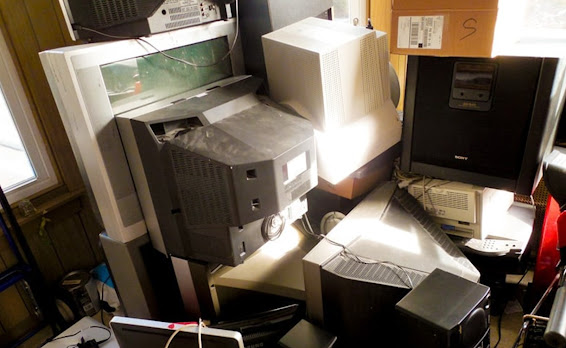
old computer monitors

Environmental Impact

These monitors are designed to benefit their users and this is without a reasonable doubt. However, they can pose lots of environmental concerns once they have reached their end-of-life period and disposed of the wrong way.

The enormous amount of lead in a CRT monitor can harm the soil when thrown into a landfill or junkyard. Also, the waterways can be seriously polluted. You should also know that the lead can mix with air if it is not disposed of and cause a lot of health troubles.

And just so you know, lead is not the only hazardous material in this hardware. Fluorescent powders, cadmium, and barium are just to name but a few. If you are interested in finding out more about this, you can visit: https://pubmed.ncbi.nlm.nih.gov

Economic Importance

Technology has gone past the use of CRT monitors. Things are a lot better with LCD and a few other options.

However, all of these are still made using a certain amount of toxic materials. This is even though newer technologies might use a lot less. As a result, they all need to be disposed of the right way.

Recycling will benefit in the sense that we would have less toxic materials around. This is because the ones used in the past would be reused again. Other than the fact that this has a positive effect on the environment and people’s health, it is economical.

This is because the cost of production is a lot less when recycled materials are used. This in turn means that consumers get the eventual products at a cheaper rate.

Civic Responsibility

Frankly, recycling is more than just the right thing to do in this day and age. It is now a civic responsibility in many parts of the country and the world at large. As explained earlier, world leaders are taking climate change issues seriously and policies are reflecting this.

Dumping computer monitors and electronic wastes in junkyards and landfills is a violation of the law in many parts of this country. As a result, ensuring that your e-waste is recycled is playing by the rules and performing your civic duties.

READ ALSO: 8 Ways to Fix Frozen Windows Desktop

Conclusion

You need to have your computer monitors and e-wastes recycled when the need arises. However, make sure this process is handled by the right recycling company.

The service provider must be licensed for starters. You can check out Albuquerque computer & electronics recycling co to find out more about what is expected of the right recycling company.

We have shed light on the benefits of recycling your computer monitors and other e-waste. You are advised to make the most of this information for the sake of protecting the environment, people’s health, and for the economic benefits attached.
Top Reasons To Use Node Js With React For Web Development

 Web development, as the name suggests, is building websites and doing all the work to maintain them. The web developers who build the websites use a variety of programming languages depending on their tasks. The web developers along with knowing programming languages should have a deep understanding of using frameworks, backend, frontend, and server requests.

One such back-end service provider is known as Node JS

Reasons To Use Node Js


What is Node JS?

Node JS is open-source software that is free to use. Node JS is a free programming language that may be used on a variety of systems Linux, Windows, Mac OS X, Unix, etc. On the server, Node JS makes use of JavaScript.

Many firms have used Node JS to create their backend technology infrastructure since it is a contemporary application framework. Its popularity as a server-side application development platform can be observed throughout sectors.

Node JS is an intriguing convergence of backend and frontend technologies in terms of application stacks. Node JS is created in JavaScript. JavaScript is a frontend, customer web scripting language.

Node JS is a very helpful technology, it is employed by various tech giants such as PayPal and Netflix. Node JS is popularly used with react in developing websites. Before seeing how they work together and their benefits, let’s find out more about React Js. Peek this websitefor hire node js developers.

What is React JS?

React JS is used to create User Interfaces, UI, that increase app speed. It makes use of a virtual Document Object Model(DOM), which increases the application's speed. React JS may be used on the server and client-side, as well as in conjunction with other frameworks. It employs data patterns to increase readability while also assisting in the maintenance of bigger apps.

React JS is a JavaScript toolkit for creating reusable user interface components that are declarative, fast, and versatile. React JS is an open-source, component-based front-end library that's just responsible for the application's view layer.

Using Node JS with React JS

Node JS can be used with React JS to make a fast-performing and efficient website. Node JS is the best platform for running and hosting a React application's web server.

The web developers may use React JS and Node JS together for the following two reasons:

 Node JS uses Node Package Manager, NPM, to interact with the NPM registry and rapidly install any packages and updates.

 Node JS combines all of the components of an application built on React JS into a single file for easy compilation with web pack and other Node tools.

In simpler terms, Node JS keeps your application’s data on the backend, whereas React JS lets you develop UI components.

1.   Managing High Server Load using Node JS and React JS

Node JS uses Asynchronous programming, Single-threaded, non-blocking, which is incredibly memory efficient. Node JS skips the waiting and immediately moves on to the next request.

With the combination of Node JS and React JS, the website can manage many requests more easily. Furthermore, it also plays a critical role in increasing client engagement.

While building a website with many different features, there will be a tremendous server load with several aspects, and there is a potential that the website may crash. As a result, it is critical for web developers to create a website that can maintain server load balance. Using Node JS and React JS together can solve this problem.

2.   Real-Time Data Using Node JS and React JS

Data that is present in real-time is referred to as data that is produced and obtained as soon as it is available. Instead of being saved, data is transmitted to users as soon as it is collected and is instantly available, with no delay, which is critical for supporting real-time, in-the-moment decision making.

Usage of real-time data is done by many websites to increase their website engagement.

To use real-time data on the websites the server connection should be fast and efficient.

 When it comes to excellent server connections, Node JS is the finest option because of its usage of asynchronous programming.

3.   Single Page Applications Using Node JS and React JS

A single-page application is a type of application that uses a single page, with a lot of data that stays the same and only a few bits that need to be changed at once.

A single-page application is a browser-based application that does not require the user to reload the page during operation. Facebook, Gmail, Twitter are some of the many single-page applications that we use in our daily life.

Creating a single-page application with React JS and Node JS is now a brilliant concept because it synchronizes the entire building process. The single-page application will be built in React JS, while the node JS will build the backend models that are lightweight for asynchronous data.

4.   Simplicity in Using Node JS and React JS

Both Node JS and React JS use JavaScript as the programming language. JavaScript, in comparison with other programming languages, is easier and simpler to use in web development.

Furthermore, the combination of Node JS with React JS provides the web development process with the strength and simplicity of JavaScript. The use of JavaScript improves the speed of any website, regardless of genre.

As a result of the shorter learning curve, web developers will be more comfortable using JavaScript. Hence, there is a good possibility they will be able to create fantastic online applications and websites using React JS and Node JS.

5.   JSON APIs using Node JS and React JS

JavaScript Object Notation or JSON is an encoding system meant to minimize the need for an improvised code for each application to connect with servers that communicate in a predefined manner. The JSON API module offers data storage and data structure implementation.

It is critical for web developers to realize that Nodejs provides a high level of code reusability and React JS makes code sharing simple. When Node JS and React JS have combined the efficiency of building JSON APIs increases phenomenally.

6.   MERN Stack Using Node JS and React JS

The full form of MERN  is MongoDB, Express, React, and Node JS. The combination of all of these frameworks, as well as Node JS and React JS, will offer the website a new dimension.

7.   Streamlined Process using Node JS and React JS

Web Developers may use React document object modules to eliminate lines and speed up and simplify the development process.

There are other components for working with Node JS using the React document object module. As a result, there is a better probability of server-side rendering being optimized.

In the End

Both React JS and Node JS have distinct roles to play in the web development process, but they may be combined to gain various benefits.

The use of Node JS with React JS may undoubtedly aid in the scalability of the website's performance.

As a result, how web developers employ this great combination of Node JS and React JS is entirely up to their requirements of the website they want to create.

Top 7 Ways to Expand Your PC Storage

There could be various reasons that affect your system performance negatively. It may include cluttered disk space, over occupied hard disk, malware issue, hardware & software issues and other similar problems. Here, we have discussed some effective steps to help you deal with performance issue if you have your system storage over occupied with a lot of unnecessary files & data. Following below mentioned steps, you can easily manage to recover GBs of disk space in a jiffy. While these steps are useful enough to help you recover valuable disk space, it doesn’t cause any performance or security issues. Let’s discuss some of these steps here.


1. Use Disk Cleanup Utility: 

Disk Cleanup utility is a useful addition on your Windows PC that helps you find and clean all unnecessary files on your system. It not only helps you find & clean unnecessary junk files, but it also helps you clean up obsolete system files. To use this utility, follow below mentioned steps.
  •        Search and select “Disk Cleanup” from the search box on the taskbar.
  •        Here, you need to select the drive that you want to clean up.
  •        Once you have selected the drive to clean on the pop-up window, it will scan that drive and display the results. Here, you will find all unnecessary files in that selected drive and space occupied by them.
  •         You can simply select the files & folders that you want to delete and press OK to delete them instantly.
disk cleaner

Source: techrepublic
You can also click on “Clean up system files” button in the lower-left corner to get rid of all unnecessary system files.
  •          Once you click on this button, it will ask you to select the drive to clean unneeded system files.
  •         Once you have selected the drive, it will scan it and display the scan results on new Disk Cleanup window.
  •          Here, you can select the files to delete and press OK to get rid of them instantly.

2. Delete Unnecessary Applications

In addition to deleting unnecessary and junk files, uninstalling unnecessary apps is another effective way to recover valuable disk space. To uninstall any app on your Windows 10 system, simply follow these steps.
  •          Go to Start menu > Settings > Apps.
  •          It will lead you to settings window. Here, select Apps & Features option from the left panel.
  •         Now you will be able to see all installed apps on your Windows PC.
  •         To uninstall any of these apps, simply select it and tap on Uninstall button given just below it.

Delete Unnecessary Applications
Source: thewindowsclub

3. Delete Duplicate Files

Next easiest and safest way to recover disk space on your Windows PC is to find and delete duplicate files. To do this, you can do a manual cleaning of your PC or you can use duplicate file remover tools for instant and effective results. These tools work on smart algorithms to help you de-duplicate even the remotest corners of your system storage.
delete duplicate files
Source: gizbot

4. Move Data to Cloud Servers

This is another advanced step that helps you expand PC storage effortlessly. Here, you can move all your data to cloud servers to recover disk space on your system. Moving data to cloud servers, not only helps you recover disk space, but you can also access this data anytime from anywhere. It also provides strong encryption services to keep your data safe.

move files to cloud
Source: chittagongit

5. Backup Data

Just like you move data to cloud servers, you can also take backup of your data on external drives. This simple trick is practiced for years to keep data safe and recover precious disk space on your Windows PC.
backup data
Source: integranets

6. Use PC Cleaner Tools: 

In addition to deleting duplicate files, you can use PC cleaner tools as well to recover Gigabytes of disk space effortlessly. These tools help you recover valuable disk space and optimize your system for better performance. You can use these tools to find and delete all types of junk files on your system.

7. Clean Recycle Bin: 

This is another simple yet effective step that helps instantly recover some disk space. Whenever you delete any file on your system it is simply moved to system recycle bin. Here, it remains there until you permanently delete it from there. Thus, we suggest you empty your system recycle bin to instantly recover precious storage space.
empty recycle bin
Source: databacknow
Conclusion: Some of the easiest steps to recover valuable disk space on your Windows system includes cleaning junk & duplicate files, uninstalling unnecessary applications, deleting obsolete old large files, using PC cleaner tools and more. Here, we have discussed some of these steps in detail. If you know more such effective steps, then feel free to comment below.


11 Safety Tips On Cloud Storage You Should Know

First of all, what is Cloud Storage? How is it important? Does it have advantages over the regular storage techniques? Well, Cloud storage is a cloud computing model in which data is stored on remote servers accessed from the Internet, or "cloud." It is maintained, operated and managed by a cloud storage service provider on a storage servers that are built on virtualization techniques. But you have to adhere to the safety tips so as to enjoy all of its benefits.

Cloud storage is an alternative to storing files and other information on your devices. It is important and advantageous because it's accessible from any part of the world even when your device breaks down or is stollen, you can always use another Internet enabled device to access your saved documents, files and information. However, just like other online activities, there is risk of security issues and some people had regretted after their data were hacked. So here are the top safety tips you should always have in mind while using cloud storage services to secure your information from unscrupulous compromise.

SAFETY TIPS FOR CLOUD STORAGE SERVICES


1. Read the terms and conditions of your chosen service and make sure you are satisfied with them.

2. Make sure your uploads and downloads are encrypted, and if possible use a service that keeps your data encrypted in the cloud and also limits the amount of people that can access it.

3. Don’t upload anything that you wouldn’t be comfortable having accessed by someone else.

4. Do not upload content on public WiFI, like at a café or a library. Also, keep your home WiFi password-protected.

SEE ALSO... Top Security Apps For Your Android Devices

5. Do not upload any sensitive information to the cloud. This includes nude pictures, medical records and financial information.

6. Make your password really strong, and tell it to absolutely no one.

7. Use multiple cloud services for an added layer of redundancy and back up everything outside of the cloud as well

8. Anticipate what might happen and plan for it. for example, you should be prepared in case you lose your laptop, the cloud storage servers crash, or anything else.

9. Do not assume that a cloud storage service will be reliable and you’re unlikely to be disappointed when it turns out not to be

10. Here’s one of the most important tips: make sure the service you choose has a good security reputation before you start using it.

11. There are certain tools you can use to encrypt your data before you upload it to the cloud. These include Boxcryptor, Spideroak, etc. Check them out, and use them to secure your data before it gets to the cloud.

Does Deleting the Cache Speed Up Your PC?

Well, we’ve been dealing such questions ourselves for quite some time now. With the latest smartphones lying around and having the option of ‘clear cached data’ people have started to develop this tendency to think the same for their PCs also.
deleting pc cache
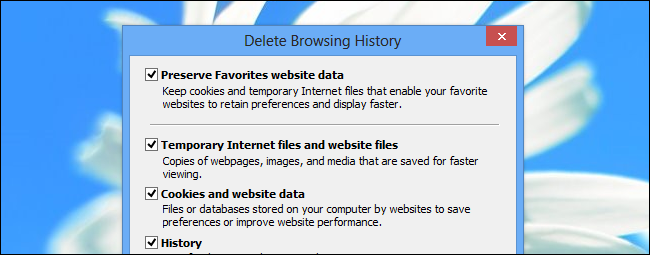
Many times when you go to a person with a few tech skills for say, regarding your slow PC, they start jabbering about running some tune up tools to clear the cache and all stuff. The question is, does it matters? Does Deleting the Cache Speed Up Your PC? Or is it just a myth? Well, yes and no! There are scenarios where the answer varies, let us discover more about the issue itself.

People think that the cached files and data are left there for no use and somehow eating a lot on their disks or even some thinks that the cached data just sits there and wait till your PC becomes sluggish. This is completely untrue. The cached data is meant for keeping some files downloaded temporarily so that whenever you try to visit some pages on your browser, it won’t need to re-download all the files again. This all saves you time, internet bandwidth and even spares you from unnecessary frustration from even slower rates of loading pages.

Why caching is preferred for certain applications?


PC caching

The major problem arises when an application or sets of applications wants to generate a set of info that usually takes a while to load every time the application is started again. Instead of performing the initialization at every runtime, it caches some of the data which is going to remain constant at every run. When you are wiping the cache you are deleting those files, and the application has to start over, once you run the application again. And THIS WILL SLOW YOUR PC DOWN!

So, where is it all going?

PC keyboard and RAM

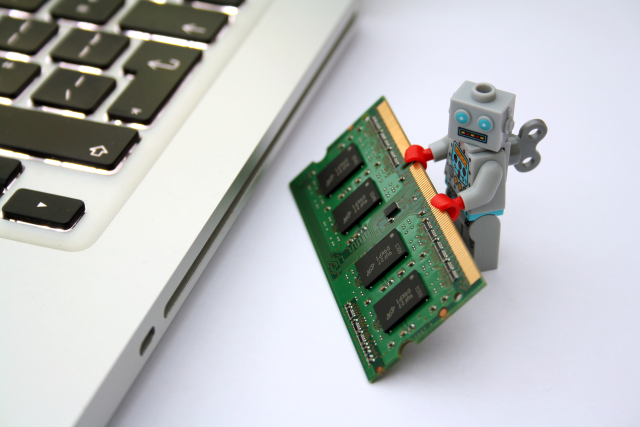
Let’s talk regarding latency. Suppose if a single image file is taking up 2 seconds to load from a web server, which is fine. But modern day web pages doesn’t just contain one such image; it is a collection of tonnes of such small images. And apart from images, there are some more data that is needed to be downloaded, most of which don’t change every day. Now suppose you are clearing your cached data after every session.

Now think of how many such similar websites you visit in a day and don’t forget to count the number of visits and re-visits you pay to the same website. Now, calculate the time which is going to be lost in downloading all the stuff back AGAIN, and yeah! TIME! If it all that matters to you.

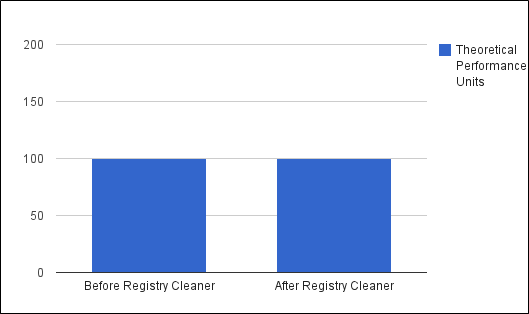
So, it is pretty much a bad idea to clean the cache after every interval. Surely, you can delete and module the cached data after a period of days or months to make sure everything is running perfectly. But it is quite sure that clearing the cached data that is cleared too often isn’t going to make your PC fast, at all.

Where all it is okay to clear the cached data?


Well, exceptions to the rules mentioned above are always there. In scenarios like where you are limited with certain resources like less hard disk space available, available RAM memory is too less, or even faulty RAMs, probably cached corruption and even remove the useless autocomplete data.

Limited disk space and slow disk drives


PC disk drives

For all those trying to free some space on their hard drives can go ahead with the deletion of the cache. Just keep in mind that the deleted cached data will be restored back once you open those sets of websites or do the similar tasks that you did before its deletion.

Corruption of cached data

In cases when the cached data becomes out of date or when the cached data become corrupted because of some reason, the application can’t get rid of it automatically. So, in that case, you need to delete it to make the application work smoothly manually.

Final words

Deleting the cache is something you might want to consider if you are worried about your privacy apart from the factors mentioned above. It is still a topic as many of the tech experts consider ‘deleting the cache and gaining speed’ as a myth.

Author Bio:
Sejal Parmar is an Android Geek and she loves exploring apps. She blogs about Android Apps & Games at NoxAppPlayer.com.

Microsoft Unveils Windows 10 S, Checkout the Disadvantages

Yesterday, 2nd of May 2017, Microsoft launched a new version of its OS called "Windows 10 S". It is a fully-fledged version of Windows 10 designed for low-cost computers as well as education-oriented PCs and even some premium computers, such as the new Microsoft Surface Laptop. The letter "S" doesn't really stand for anything according to Microsoft but the concept of this OS is simplicity, security and safety.

Well, while we are so excited about this, I won't forget to let you know the disadvantages and bad part of it. No doubt, Windows 10 S is a great Operating System especially if you are too concerned and conscious about safety, in fact, I believe Microsoft want to match Mac in terms of security with this latest development, but you have to accept the bad part of it which I explained below:

DISADVANTAGES OF WINDOWS 10 S

1. You Cannot Install Apps From Other Sources
On Windows 10 S, you are only allowed to install apps from the Windows store so any app that's not available in the official store is automatically ruled out of it. In other words, you can't get apps from third-party vendors.

2. Edge Will Be Your Default Browser Permanently
Microsoft has decided that Edge will permanently be the default web browser on Windows 10 S. This means that even if Google releases Chrome on the Store, Edge will still open by default every time you click on an HTML link. Personally, I can't do without Chrome browser both on PC and mobile and I believe there are many people out there that shares my likeness to that browser as well, so it will be a hard decision to accept this OS on my PC.

3. Say Goodbye To Google Search Engine
Another disadvantage of Windows 10 S is that Microsoft had made Bing the default search engine and this will be permanent just like the default browser being the Edge browser. There will be no option to switch to Google or any other search engines. While this sound as a good business idea to eliminate the impact of its competitors, it will go a long way in scaring people away from using the OS because most people are already addicted to Google search engine as it's still the best globally.

4. You Will Only Have Few Good Games To Play
Because of the restrictions on installing apps only via the Microsoft store, gamers will not have the freedom or option to download their favorite games from third party sources. This simply means, you will be stocked to playing only those games available at the windows store which includes both mobile games and AAA games – mainly from Microsoft’s game studios – such as Forza Horizon 3 and Gears of War 4 plus Call of Duty: Infinit Warfare.

You will not be able install Valve’s Steam store, EA’s Origin, Blizzard’s Battlenet or any game distributed on disc or download from outside the Windows Store, however, which will severely limit the selection of games available for Windows 10 S.

WINDOWS 10 S AVAILABILITY, PRICE AND HOW TO GET IT

The Windows 10 S will only be available on new PCs (Laptops and Desktops) that will be launched in the nearest future, and won’t be available as a separate version of Windows users can upgrade with or install as with Windows 10 Pro.

According to a reliable source, one of the first PCs to ship with Windows 10 S installed will be the new Microsoft Surface Laptop which will ship to customers in the US on 15 June. Windows 10 S will see wider availability this summer

Can you use this OS with all its limitations? What's the Operating system on your PC right now?